
Please feel free to download any PDF and share with your students.
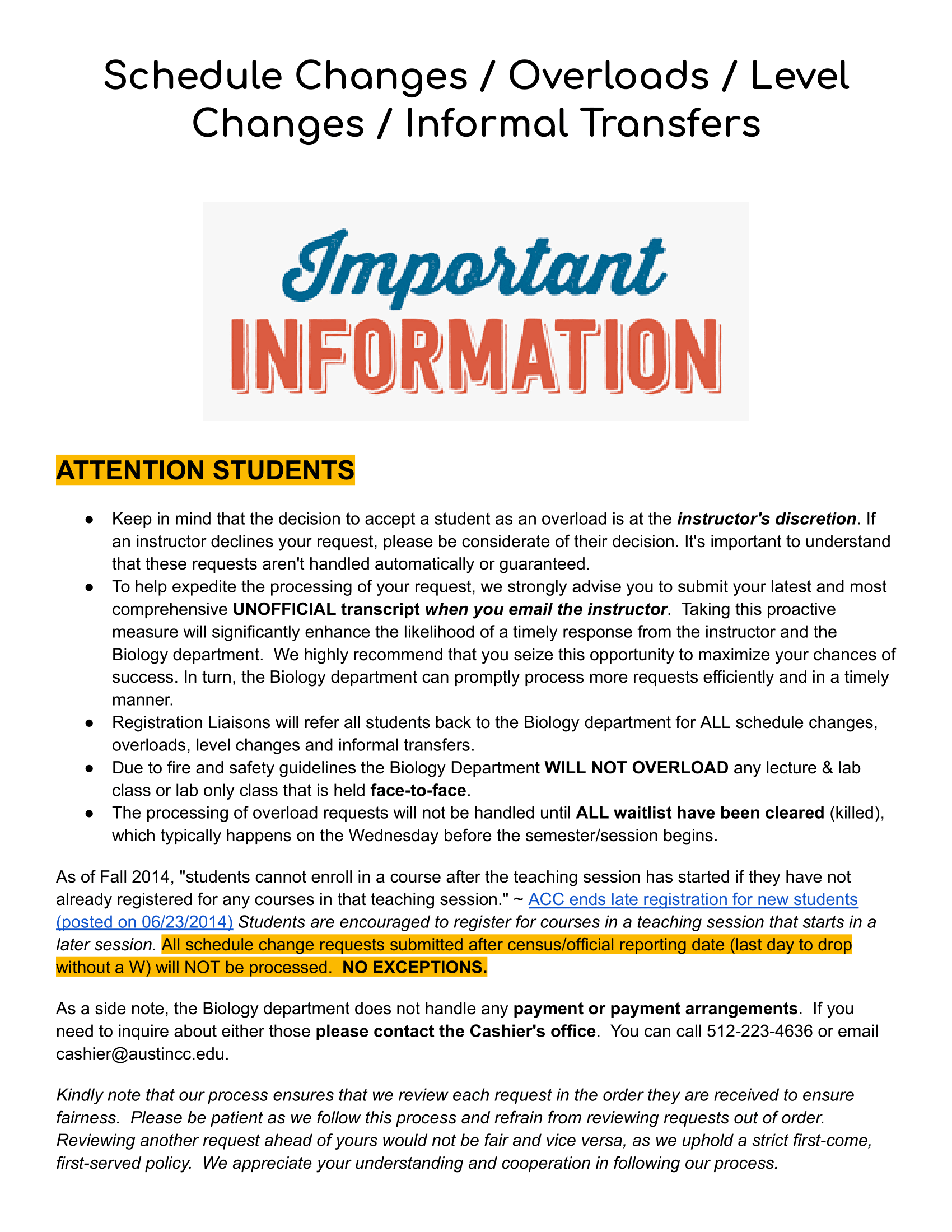
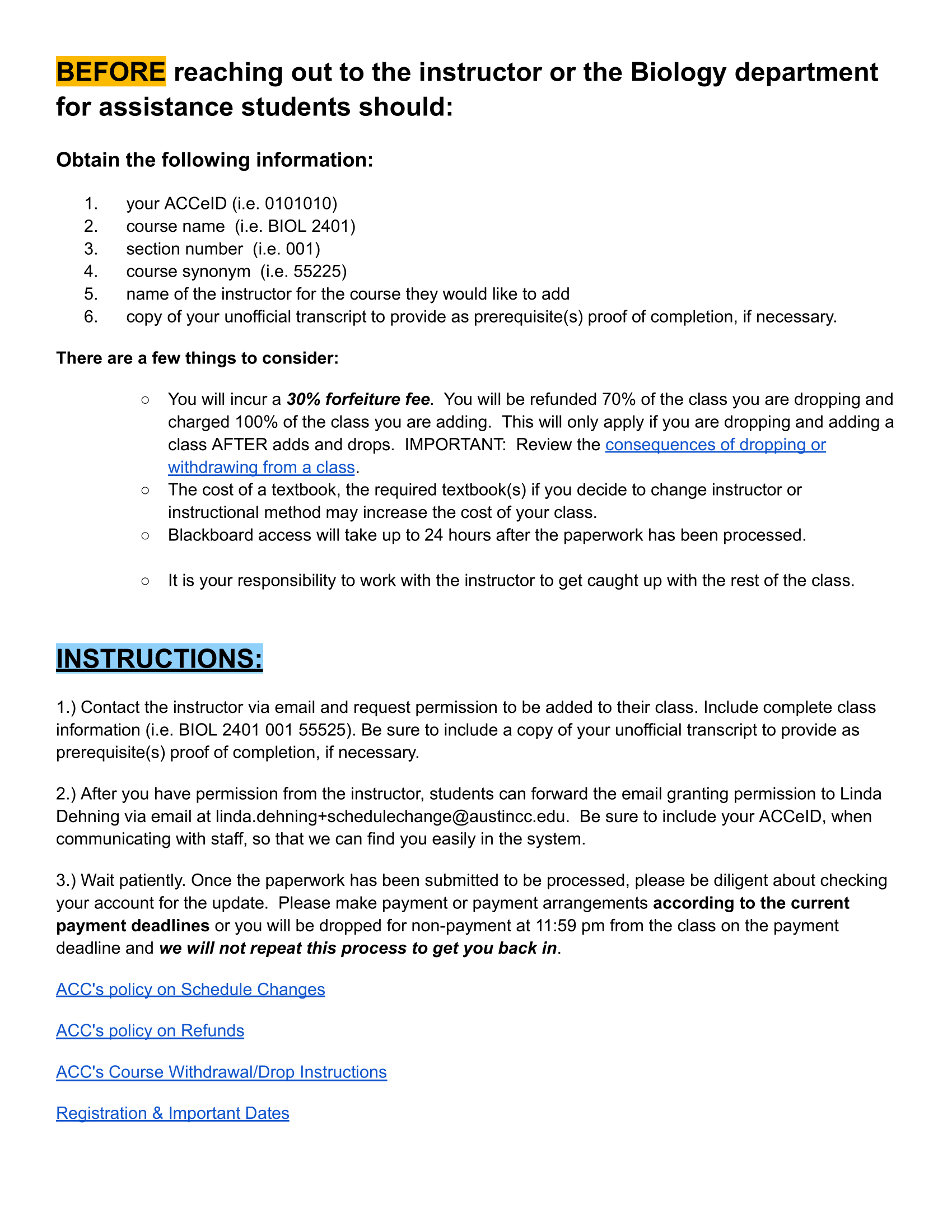
How to right-click copy and paste image into Gmail:
Right-clicking a selected item will usually bring up a menu with the option to “Copy”. Right-clicking a space will usually bring up a menu with the option to “Paste”.
The keyboard command for copy is Ctrl + C, and the keyboard command for paste is Ctrl + V.
Download flyer:
https://drive.google.com/file/d/1e17jFS1DNMsuVGz8AKZbxao66tQ5MEa1/view
Direct students to:
Registering for BIOL 2401 (A&P I)
Transcript Review for A&P I Enrollment
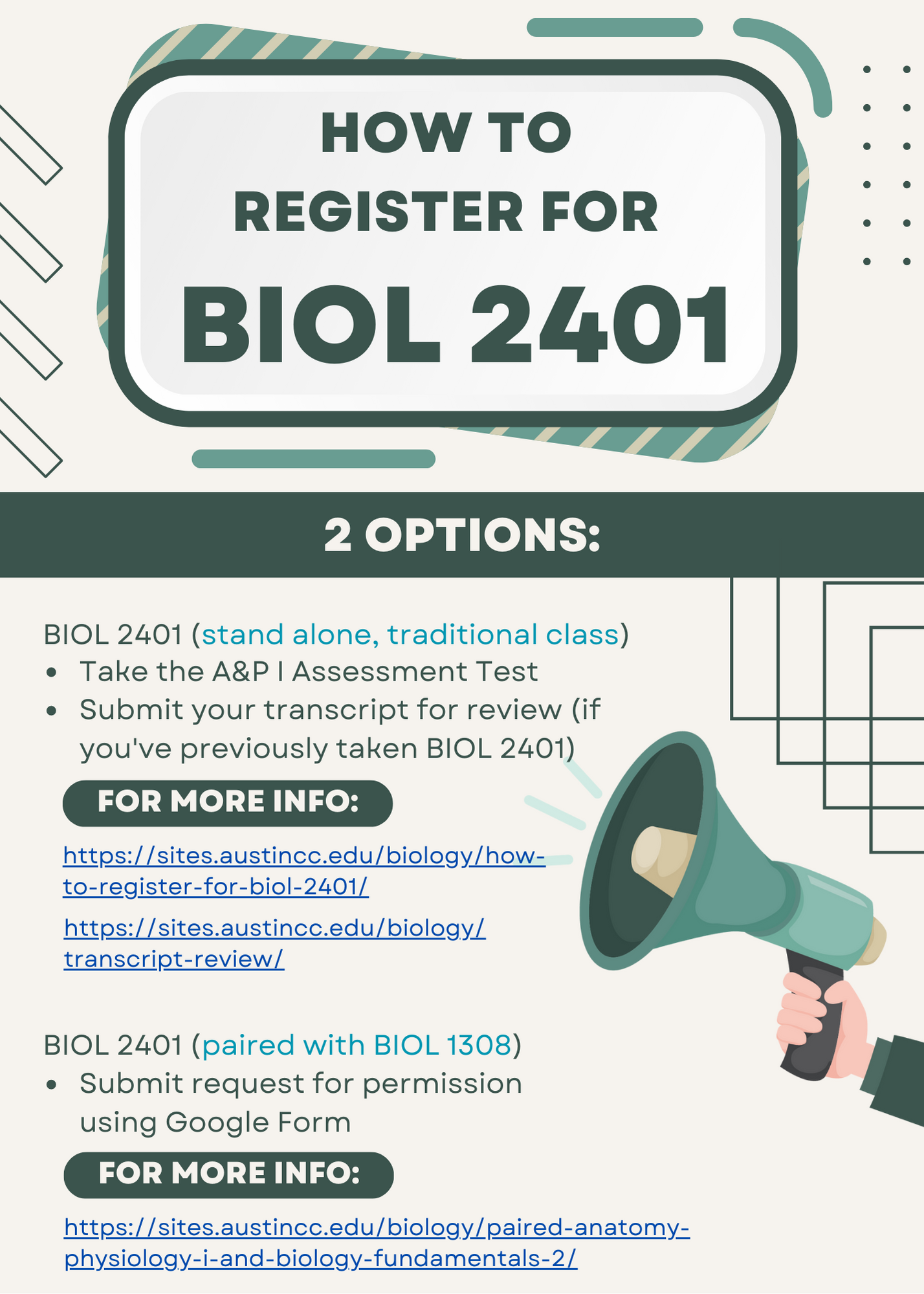
How to right-click copy and paste image into Gmail:
Right-clicking a selected item will usually bring up a menu with the option to “Copy”. Right-clicking a space will usually bring up a menu with the option to “Paste”.
The keyboard command for copy is Ctrl + C, and the keyboard command for paste is Ctrl + V.
Download flyer:
https://drive.google.com/file/d/1v6tFJA_HW9v1GVNhJPuGNFDOsdF3SKHZ/view
Direct students to:
Registering for BIOL 2401 (A&P I)
Transcript Review for A&P I Enrollment
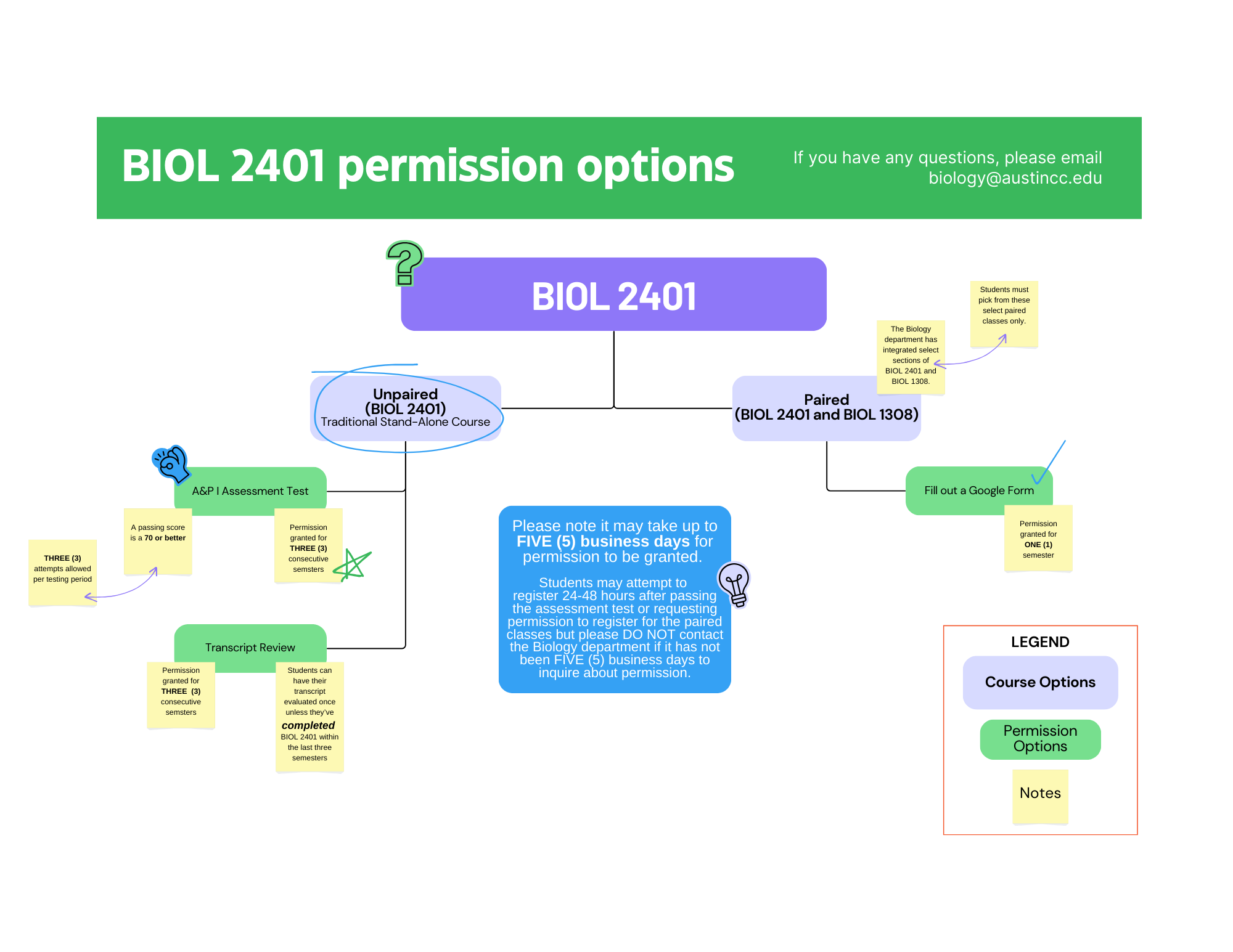
How to right-click copy and paste image into Gmail:
Right-clicking a selected item will usually bring up a menu with the option to “Copy”. Right-clicking a space will usually bring up a menu with the option to “Paste”.
The keyboard command for copy is Ctrl + C, and the keyboard command for paste is Ctrl + V.
Download flyer:
https://drive.google.com/file/d/1KtJAxobj0mrNmk2YO1jqD_OCE6jXKKns/view
Direct students to:
Registering for BIOL 2401 (A&P I)
Transcript Review for A&P I Enrollment
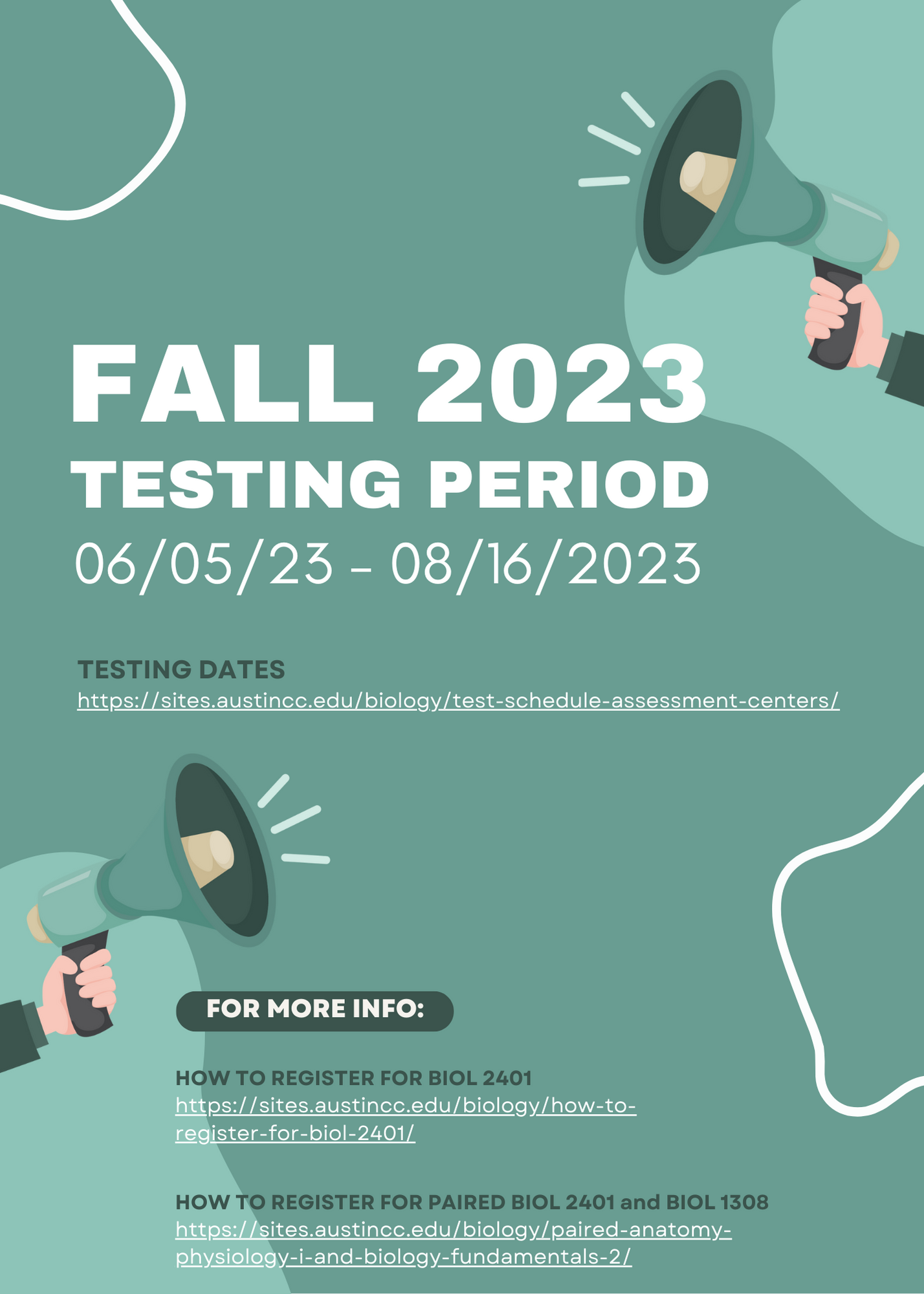
How to right-click copy and paste image into Gmail:
Right-clicking a selected item will usually bring up a menu with the option to “Copy”. Right-clicking a space will usually bring up a menu with the option to “Paste”.
The keyboard command for copy is Ctrl + C, and the keyboard command for paste is Ctrl + V.
Download flyer:
https://drive.google.com/file/d/1qyA5rOL6Kal37iOkubxVF_2iQhT7yic6/view
Direct students to:
Test Schedule & Assessment/Testing Centers
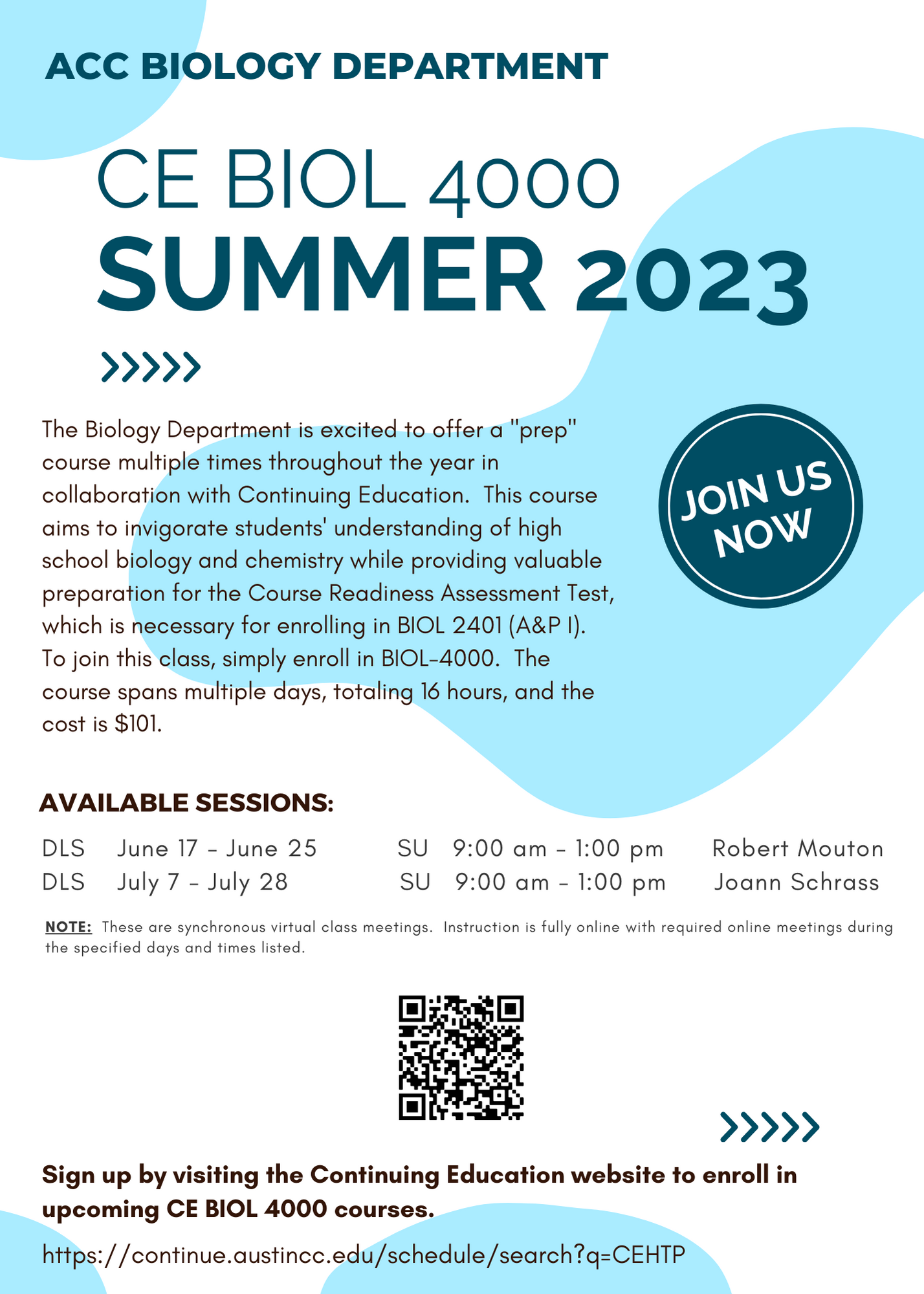
How to right-click copy and paste image into Gmail:
Right-clicking a selected item will usually bring up a menu with the option to “Copy”. Right-clicking a space will usually bring up a menu with the option to “Paste”.
The keyboard command for copy is Ctrl + C, and the keyboard command for paste is Ctrl + V.
Download flyer:
https://drive.google.com/file/d/1OIaDFtWpNx5l_duEoMTRVCrx7RhGzLHG/view
Direct students to:
https://continue.austincc.edu/schedule/search?q=CEHTP
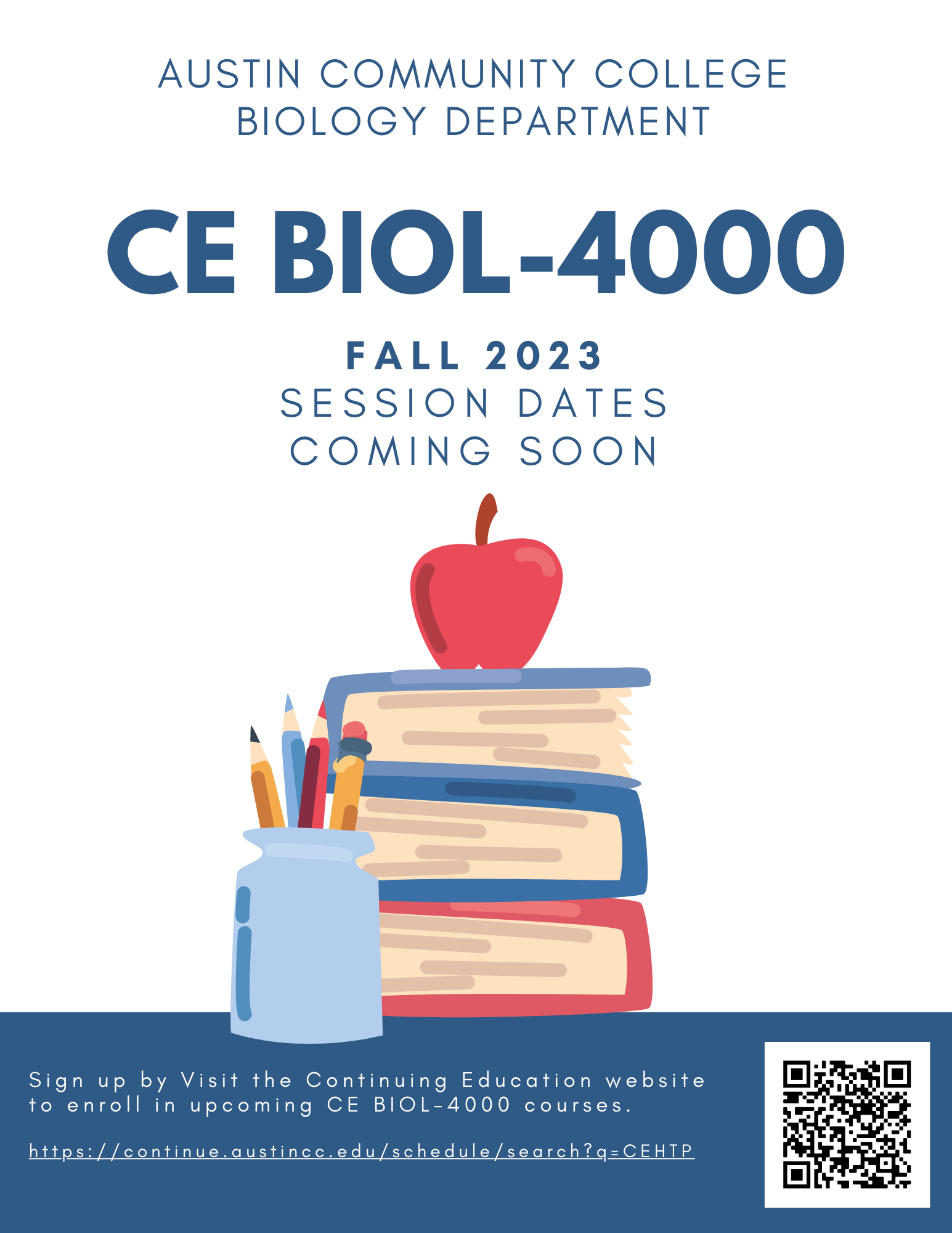
How to right-click copy and paste image into Gmail:
Right-clicking a selected item will usually bring up a menu with the option to “Copy”. Right-clicking a space will usually bring up a menu with the option to “Paste”.
The keyboard command for copy is Ctrl + C, and the keyboard command for paste is Ctrl + V.
Download flyer:
https://drive.google.com/file/d/1J3zkrXybGDflN8Y5d3bNCMWVNVZtjOX_/view
Direct students to:
https://continue.austincc.edu/schedule/schedule.php?op=browse&snid=28965&ct=CE&term=223FCE
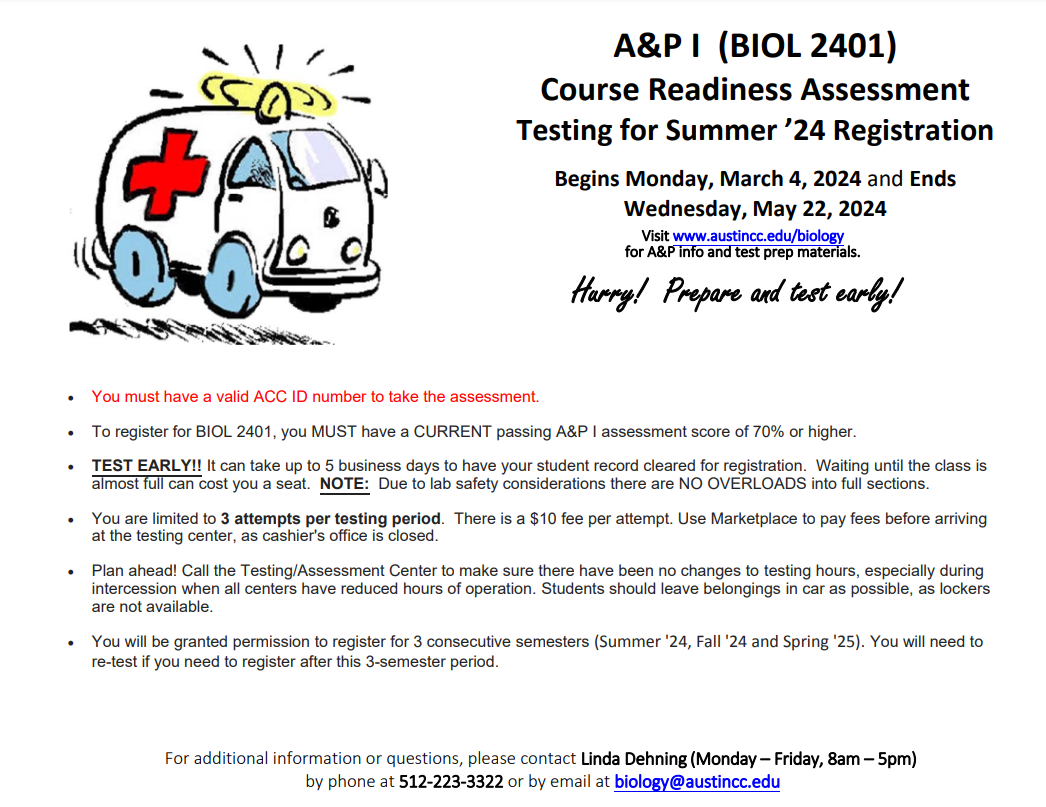
How to right-click copy and paste image into Gmail:
Right-clicking a selected item will usually bring up a menu with the option to “Copy”. Right-clicking a space will usually bring up a menu with the option to “Paste”.
The keyboard command for copy is Ctrl + C, and the keyboard command for paste is Ctrl + V.
Download flyer:
https://drive.google.com/file/d/1byhZLBwEbjImaJ4H7MTbnGNOlyP8zZxr/view
Direct students to:
Test Preparation
https://sem.austincc.edu/biology-dev/test-preparation/
Test Schedule & Assessment/Testing Centers
https://continue.austincc.edu/schedule/schedule.php?op=browse&snid=28965&ct=CE&term=223FCE